



 切换语言
切换语言
切换语言
切换语言
Workflow is one of the easiest ways to compare dental equipment because it connects equipment design with everyday clinical work. A modern dental unit should help the treatment team perform common actions in a logical sequence, with fewer unnecessary reaches, pauses and repositioning steps.
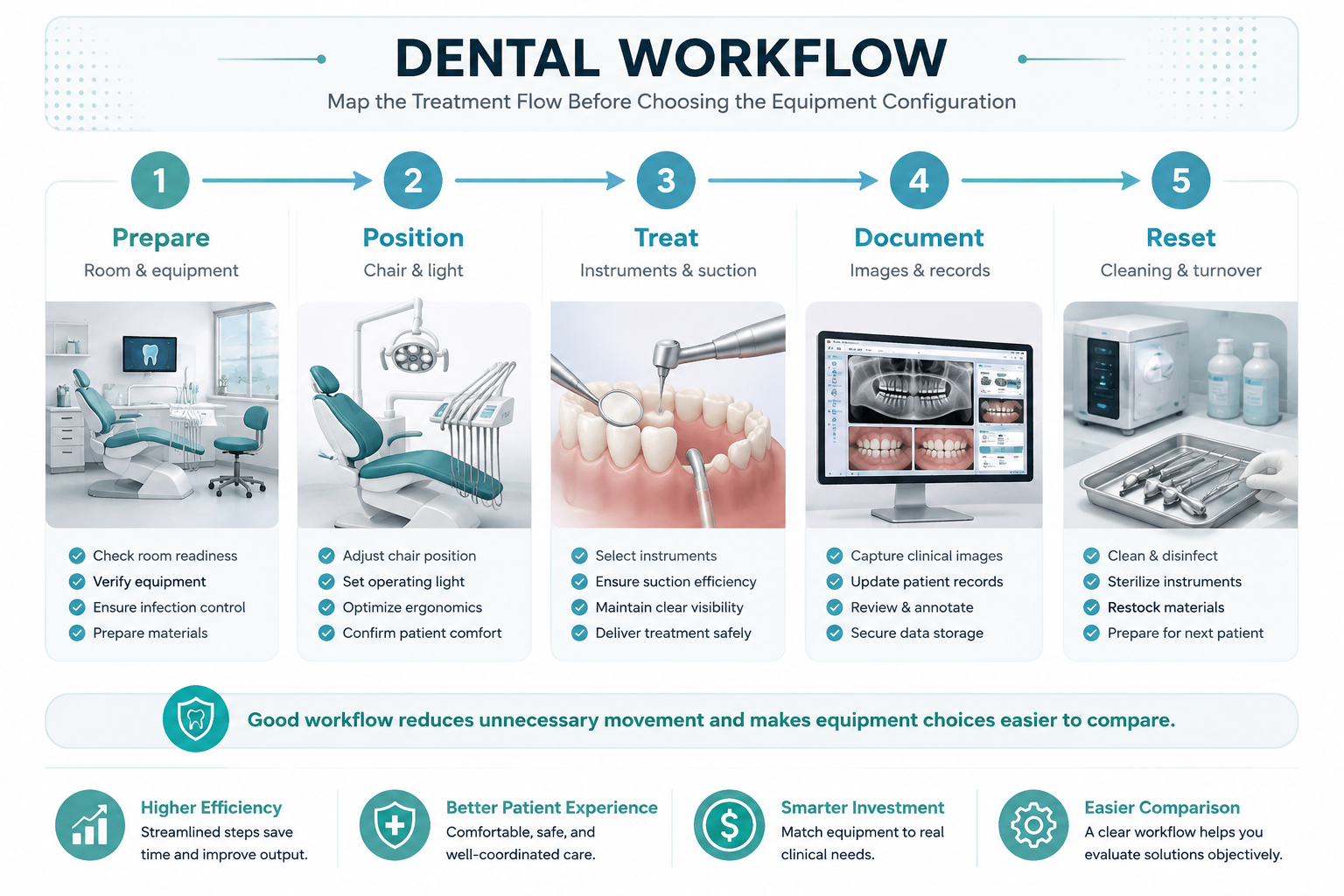
Figure 1. A five-step dental workflow map.
List the actions performed repeatedly during a normal appointment. Examples include adjusting the chair, positioning the light, reaching for instruments, controlling water or suction, reviewing an image and entering notes. High-frequency actions deserve the most attention because small inefficiencies repeat all day.
Compare the sequence of actions with the physical layout of the dental unit. If a control is rarely used but occupies prime working space, its design value may be lower than a simple control that is used dozens of times per day.
A workflow review should look at movement by both dentist and assistant. A well-organized operatory can keep frequently used items within practical reach while still leaving enough space for safe movement and cleaning.
The best configuration depends on the procedure and team. Rather than assuming one setup is universally better, test the chair and equipment arrangement against the clinic's most common procedures.
Clear, consistent controls can shorten the learning curve for new team members and reduce accidental inputs. This is particularly useful in multi-chair clinics where staff may move between rooms.
When evaluating a dental chair, ask whether the important controls are easy to identify, easy to reach and logically grouped. A good interface supports the workflow instead of competing with it.
Workflow does not end when treatment ends. Cleaning, resetting the tray and documenting the case all influence the total time per appointment. A chair or unit that supports a fast and repeatable reset process can contribute to smoother daily operations.
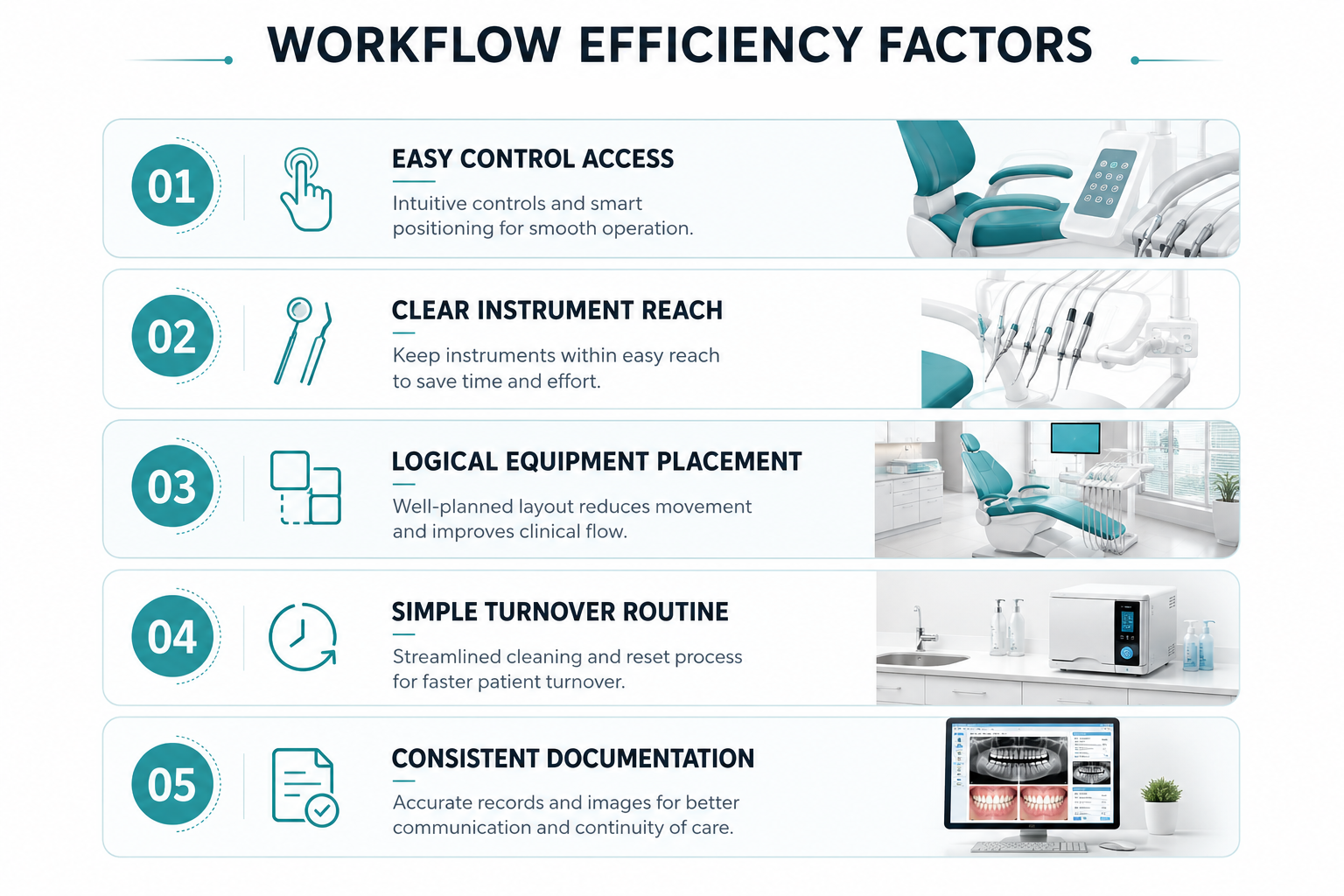
Figure 2. Practical factors that influence workflow efficiency.
· List the ten most common actions in the operatory.
· Identify where each action is controlled or performed.
· Remove avoidable walking and reaching.
· Test the layout with real procedures.
· Review end-of-appointment reset time.
It is the sequence of clinical and support activities performed around the dental chair, from preparation and patient positioning through treatment, documentation and turnover.
Track repeatable indicators such as unnecessary movement, setup time, turnover time and the number of interruptions during routine procedures.
No. Workflow depends on how useful the features are in the specific clinic and how easily the team can use them.